Private Notes
Private Notes let you keep internal information exactly where you need it — either as a once-off note on a specific Quote, or on a Contact so it automatically appears on every future Quote for that customer.
Use them as a reminder to yourself, to @mention Team Members (they’ll be notified), or to attach files and images. Add details about suppliers, important dates, or anything else that’s useful for you and your team but not for your customer.
Your customers never see Private Notes. They’re only visible to you and your team.
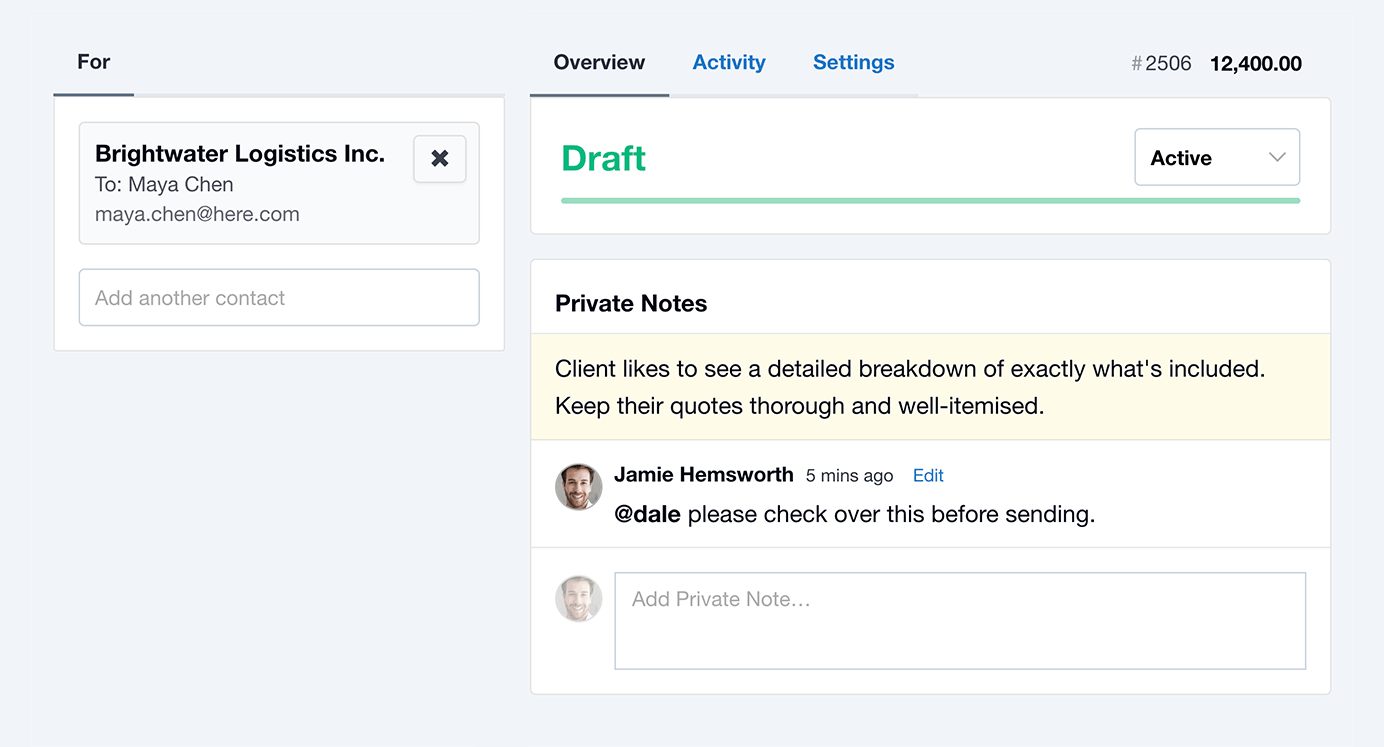
Adding a Private Note via a Quote
- Click into the Private Note field on the Quote.
- Write your note, and optionally add any attachments.
- Choose how the note should be applied:
- This Quote Only: Stays on this Quote only.
- [Contact name]: Saved to the Contact, and will automatically appear on this Quote and all future Quotes for that customer.
- Hit Add Note.
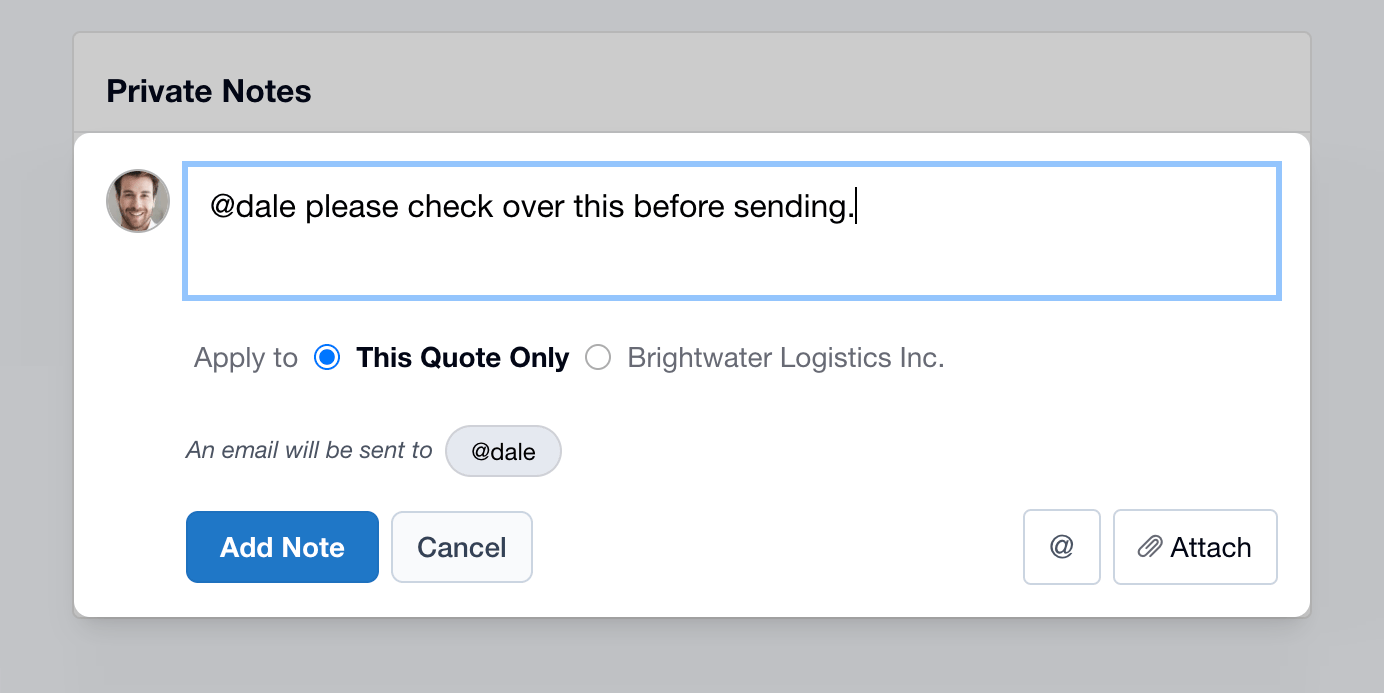
Adding a Private Note via a Contact
You can also add a Private Note from the Contact Screen. These notes will automatically appear on every new Quote created for that Contact or Company.
If the Contact is a Person who belongs to a Company, the note is stored against the Company, and will appear when quoting anyone from that Company.
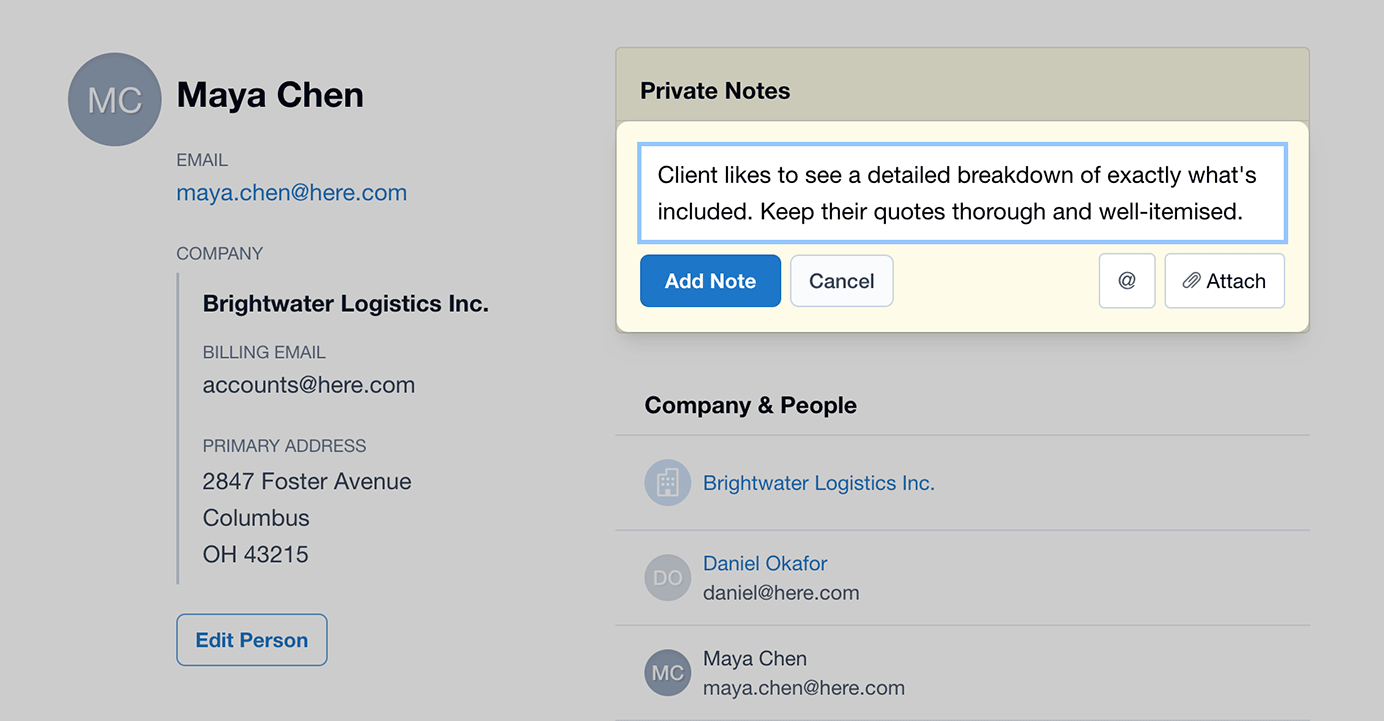
Mention a Team Member
While adding a Private Note, you can @mention another Team Member (or yourself). They will receive an Email Notification and a Dashboard Message.
Attach Files or Images
Drag and drop files or images onto the Private Note, or use the Attach button.