Bulk Actions
Bulk Actions let you apply changes to multiple records at once. Instead of updating items one by one, you can select several and perform the same action across all of them in a single step. This is especially useful when tidying up Quotes, Templates & Items, Contacts, Leads, Follow-ups, or Unanswered Questions.
Bulk Actions are available throughout Quotient wherever they make sense. The actions you see will depend on the type of records you’re viewing, and the filters currently applied.
How to use Bulk Actions
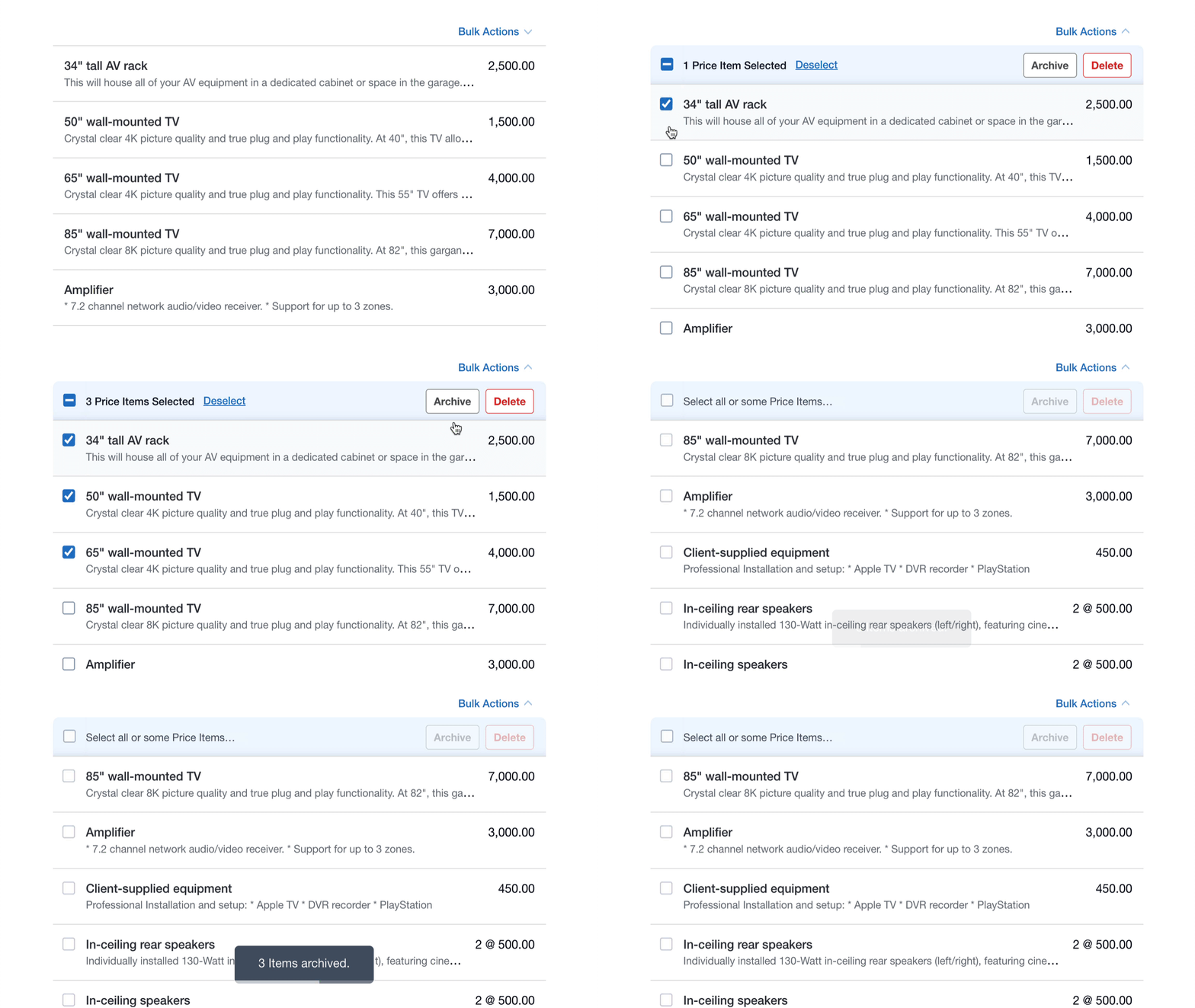
- When Bulk Actions are available, you’ll see a Bulk Actions option in the top-right corner of the list. Click it to expand the selection mode.
- Use the select all checkbox to choose everything in the list, or tick individual records you want to update.
- Once records are selected, available Bulk Actions will appear as buttons on the right. Click the action you want to apply.
- The action will be applied to all selected records at once.
Available Bulk Actions
Quotes
- Accepted Quotes
- Complete Quotes
- To follow up
- Send/Dismiss Follow-ups
- Active or Waiting Quotes
- Set to Waiting
- Set to Active
- Draft Quotes
- Delete Draft Quotes
- Restore Deleted Draft Quotes
- Unanswered Questions
- No Answer Needed
Templates, Price Items, and Text Items
- Archive Templates & Items
- Delete Templates & Items
- Restore Archived/Deleted Templates & Items
Contacts
- Archive Contacts
- Restore Archived Contacts
Leads
- Dismiss Leads
If you don’t see some actions, try adjusting what you’re filtering.
Bulk Actions are context-aware. The options available depend on:
- What you’re viewing (Quotes, Items, Contacts, Leads, Follow-ups, or Unanswered Questions)
- Which filters are applied
- The status of the selected records
For example, the Complete Quotes action only appears when viewing Accepted Quotes, and No Answer Needed only appears when the Unanswered Questions filter is applied.