
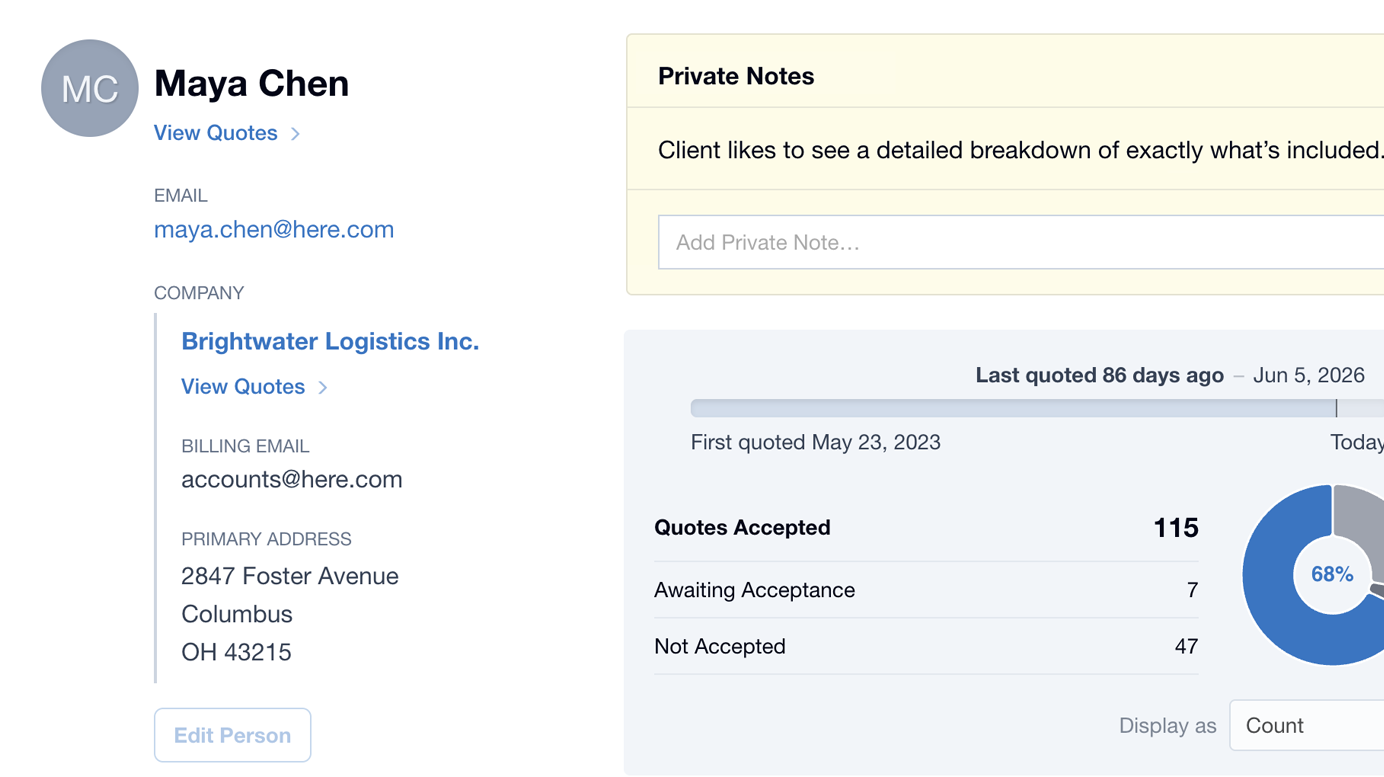
Your Contacts just got a serious upgrade. The new Contact Screen gives you a clear picture of every customer relationship, right where you need it.
Open any Contact and it’s all in front of you: the things worth remembering about this customer, who’s who at their Company, and exactly where things stand today. No more piecing it together in your head. You walk into every conversation already knowing where you stand.
Here’s what’s new…
Private Notes on Contacts appear on Quotes too
- You can now add a Private Note to any Contact!
- The best part: that note surfaces automatically every time you create a new Quote for that same customer, front and centre.
- If a Person belongs to a Company, their Private Note is held against the Company, so it’s there whenever you quote anyone from that Company.
Maybe it’s a delivery preference, a pricing agreement you shook hands on, or a small personal detail worth remembering. Whatever it is, the note shows up exactly when you need it, instead of sitting forgotten somewhere it’ll never be seen.
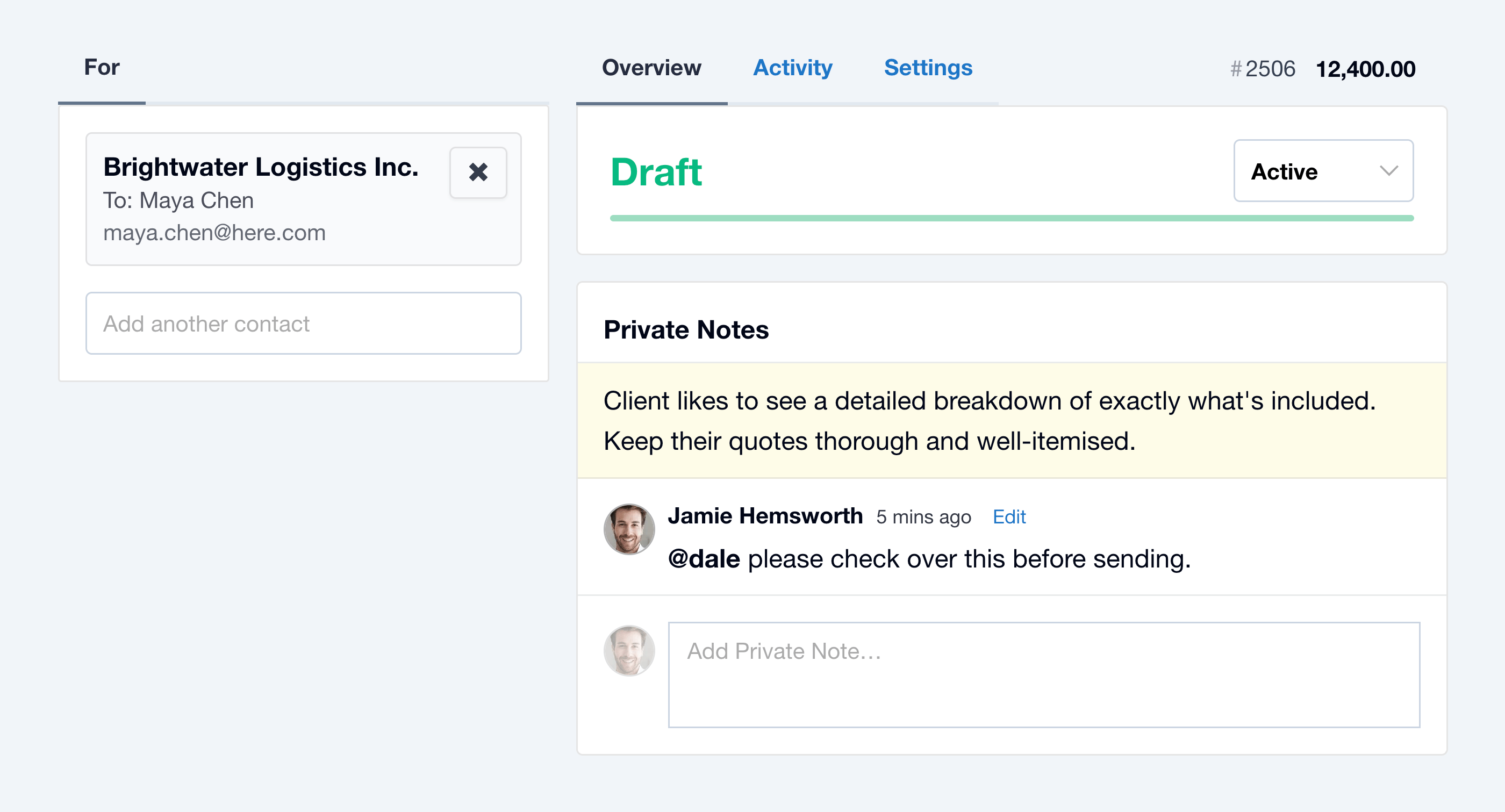
We love this one so much it earned its own write-up: Add a Private Note to a Contact and It Surfaces on All Their Quotes.
Contact Stats
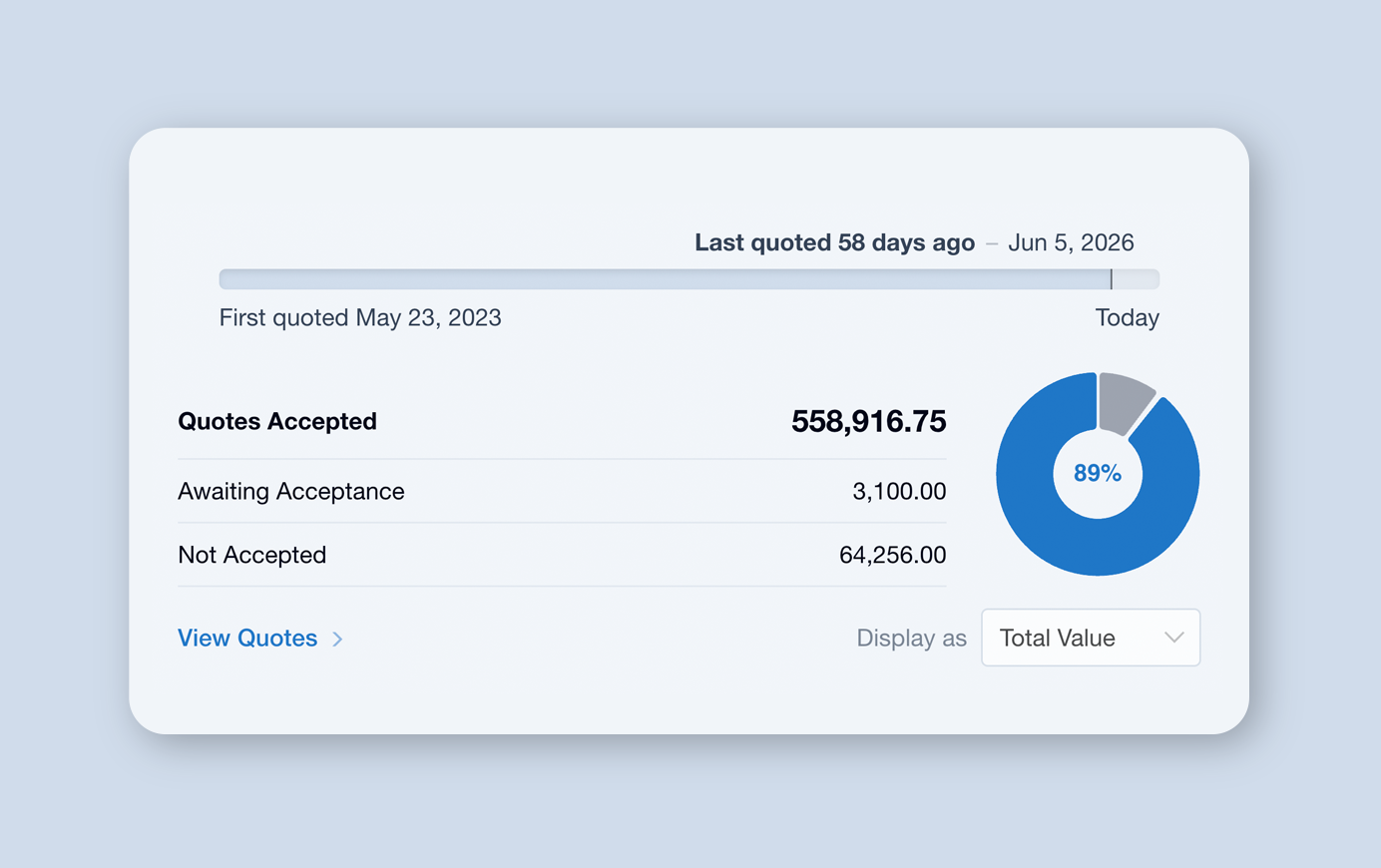
Each Contact now comes with its own set of stats, a quick read on the whole relationship at a glance.
- A timeline indicator shows when you first quoted the Contact, and exactly how long ago the last Quote went out.
- See your all-time Quote Total Values, Average Quote Values, and the number of Quotes you’ve sent this Contact.
- See exactly how your Quotes have landed, with Accepted, Awaiting Acceptance, and Not Accepted broken out, plus an at-a-glance acceptance rate.
- Switch between Total Value and Count to view the relationship the way that’s most useful to you. This setting gets remembered.
- If a Person belongs to a Company, their stats draw on the whole Company’s activity, so you see the full relationship, not just that one person’s Quotes.
No more digging through history to work out whether someone is a one-off job or a long-standing customer. It’s all right there, the moment you open the Contact.
Get a Clearer View of Every Customer
We’ve also cleaned up how Companies show throughout your Contacts. Whether you’re viewing the Company or a Person from that Company, the Company details now stay put, so you always know who you’re dealing with and which Company they belong to.
The new Contact Screen is available now across Quotient. Open any Contact to add your first Private Note, check the stats, and get the full picture of every customer relationship in seconds.
For a full list of updates and smaller tweaks not covered here, check out the Release Notes.